
GPU Thermal Throttling: Causes, Detection, and Prevention…
Quick Summary
- Throttling Threshold: GPUs throttle at 85-90°C depending on model
- Performance Impact: 20-40% throughput loss when throttling active
- Causes: Inadequate airflow, high ambient temp, dust accumulation
- Detection: nvidia-smi, DCGM, firmware logs all report throttling
- Prevention: Liquid cooling eliminates throttling risk entirely
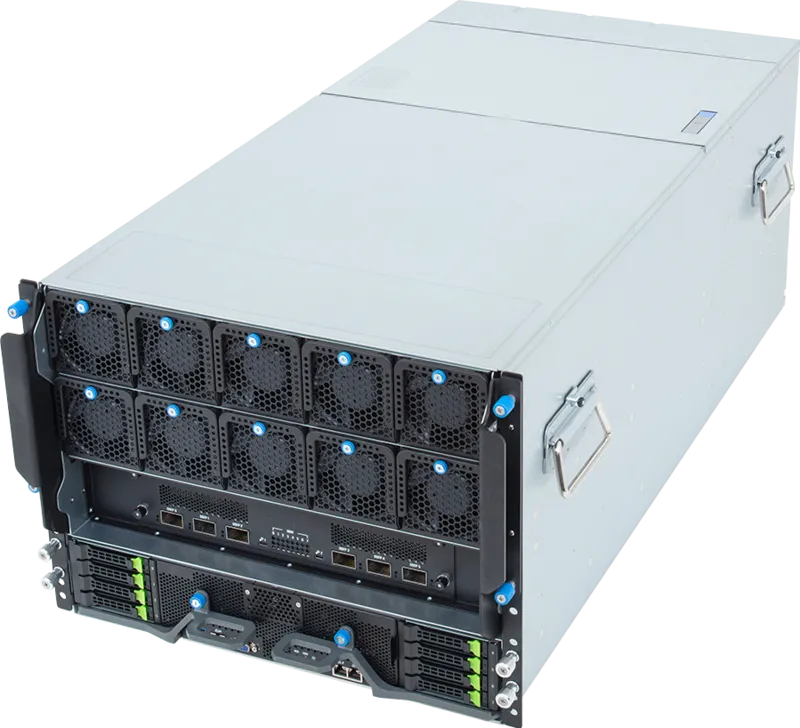
GPU Thermal Throttling Liquid-cooled GPU server: Understanding the Problem
GPU thermal throttling is the automatic reduction of clock speeds when GPU temperature exceeds predefined thresholds, implemented to prevent permanent hardware damage. For AI training workloads, sustained throttling can reduce throughput by 20-40% and increase training time proportionally. Understanding the causes, detection methods, and prevention strategies for thermal throttling is essential for maintaining peak AI infrastructure performance.
Throttling Thresholds by GPU Generation
| GPU | Throttle Start | Hard Shutdown | Max Temp (Sustained) |
|---|---|---|---|
| NVIDIA A100 | 85°C | 95°C | 75-80°C |
| NVIDIA H100 | 85°C | 95°C | 75-80°C |
| NVIDIA L40S | 83°C | 92°C | 70-75°C |
| AMD MI300X | 85°C | 95°C | 75-80°C |
| NVIDIA B200 | 90°C | 100°C | 80-85°C |
Primary Causes of Throttling in AI Deployments
Inadequate airflow is the most common cause of thermal throttling in air-cooled GPU servers. GPU servers require specific front-to-back airflow patterns that are disrupted by insufficient clearance in racks, blocked front bezels, or mismatched fan speeds between chassis components. High ambient data center temperatures accelerate throttling—each 1°C increase above 25°C inlet temperature reduces thermal headroom and increases throttling probability.
Detection and Monitoring
Real-time GPU temperature monitoring is essential for throttling detection. NVIDIA's nvidia-smi command provides per-GPU temperature readings. NVIDIA Data Center GPU Manager (DCGM) provides cluster-wide monitoring with throttling event logging. Prometheus with NVIDIA GPU exporter enables historical trending and alerting. GPU firmware logs all thermal throttling events with timestamps and duration.
Liquid Cooling: The Definitive Solution
Direct-to-chip liquid cooling eliminates thermal throttling by maintaining GPU temperatures 15-25°C below air-cooled equivalents at equivalent power levels. H100 GPUs operating at 700W with liquid cooling maintain 65-70°C junction temperatures versus 80-85°C with air cooling. The thermal margin provided by liquid cooling ensures sustained peak performance for the life of the GPU, regardless of ambient conditions.
Related Content
Explore more about this topic:
- Liquid Cooling vs Air Cooling for AI Racks
- Data Center Tier Classification for AI
- Coolant Distribution Unit Selection
How much performance is lost to thermal throttling?
Studies show 15-30% sustained throughput loss in densely populated air-cooled GPU clusters during summer months or under high ambient temperatures. Liquid-cooled clusters see less than 2% performance variation across all ambient conditions.
Can improved air cooling prevent throttling?
Enhanced air cooling (higher CFM fans, optimized heat sinks, cold aisle containment) reduces throttling risk but cannot eliminate it for GPUs above 500W TDP in high-density configurations. Above 700W per GPU, liquid cooling is the only reliable solution.